
We’re excited to release the third release candidate of GIMP version 3.2! It contains a number of bug fixes and final polishes as we prepare the first stable release of GIMP 3.2.
Release Highlights
This release represents the completion of nearly a year’s worth of development and design work, as well as our GIMP 3.2 roadmap. The complete changelog can be found in our NEWS section of the repository.
We hope for this to be the final release candidate before the first stable release, so we ask for your help in testing and reporting any remaining bugs you encounter.
New Splash Screen
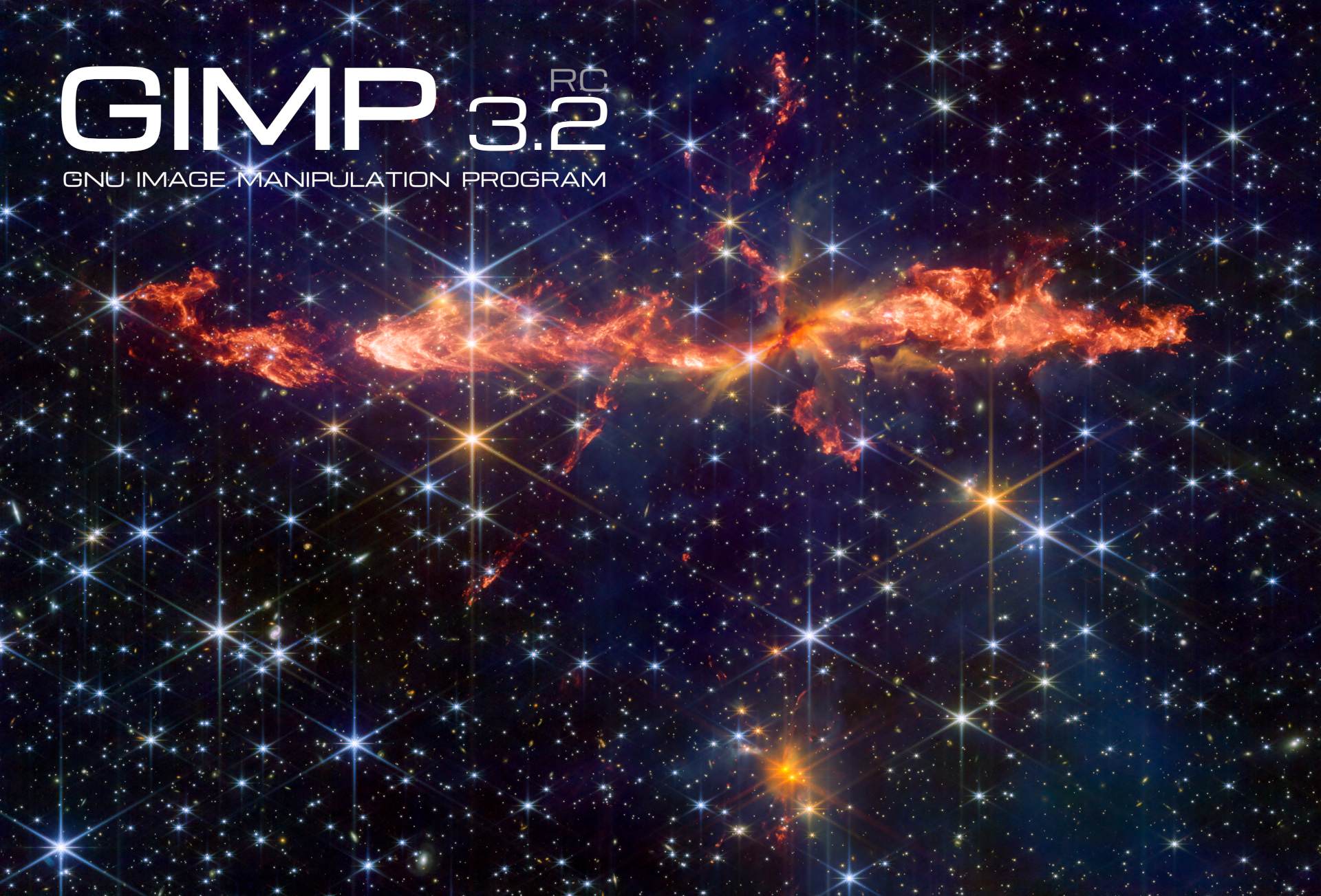
Dr. Mark McCaughrean has graciously created a third splash screen for this release (see image at the top) based on his processed photograph of the “Dragon Jet” HH288 protostellar outflow system.
We are deeply grateful to Dr. McCaughrean for the three splash screens he has created for the 3.2 release candidates. It will be tough decision to select the one to use for the final GIMP 3.2!
Non-Raster Layers
GIMP 3.2 has three kinds of “non-raster” layers - the new link and vector layers in addition to the existing text layers. A lot of behind-the-scenes work has been done by Jehan to standardize how all of these layer types handle “destructive” actions, such as painting and merging down layer masks. You should now be better protected from accidentally altering these layers destructively, unless you intentionally rasterize them (and if you change your mind, you can easily revert that process to restore the original layer).
As a result of this work, we also have a small new feature. Previously, you could drag and drop a color swatch on a text layer to change its color. Alx Sa extended this behavior to vector layers - now you can drag either a color or pattern swatch to change its fill!
Color Operations
As part of Jehan‘s continued work to improve GIMP’s color correctness, the Levels, Curves,
Equalize, and White Balance filters now default to Linear precision while allowing for other
color precision modes to be set. This fixes several inconsistencies in how these filters operate in
both the GUI and via scripting.
UX / UI Improvements
-
We’ve refined the logic of when the Welcome Dialog appears on start. If you intentionally open GIMP with an image (either by dragging and dropping it or opening via the command line), the Welcome Dialog will no long appear in front of the image. The only exception is the first time you open GIMP after an update, so you can see what has changed.
-
Alx Sa reordered the Hue Saturation GUI so that the Lightness slider is placed below the Saturation slider. While this is a small fix, it standardizes the order with all other places in GIMP where we have HSL settings.
-
The Flip tool can now be controlled with arrow keys, similar to the Move and Rotate transformation tools. When the Flip tool is selected, you can use the Left and Right arrows to flip the image horizontally, and the Up and Down arrows to flip it vertically.
-
The Shear tool can also now be adjusted with the arrow keys. Use the Left and Right arrows to shear your image horizontally, and the Up and Down arrows to do the same vertically.
Like the Move tool, you can hold down Shift to shear with a larger value. -
The
GIMP_ICON_TEXTUREpattern has been removed from the background of the Navigation and Selection dockables. This should remove a source of visual irration from those dockables in dark mode. -
The Delete button in the Layer dockable will now delete only the layer mask if it is selected, instead of always deleting the layer.
-
Jehan has refined the logic for color selection so that it is not impacted by the image when that wouldn’t make sense in context. For instance, you can now use the full color palette to set Grid colors, even if you’re working on an indexed image with a limited palette.
-
The Crop Tool now automatically adds transparency to a layer if you set it to fill with transparency and make a crop that’s larger than the current layer. Thanks to Michael Schumacher for the initial UX report!
-
Jacob Boerema adjusted our GUI code to prevent overly wide dialogs in places like the image export comment field and the Image Map guide pop-up.
-
Denis Rangelov added initial support for using the Global Menu on flatpak. You’ll need to set the
GIMP_GTK_MENUBARvariable inside the Flatpak environment (as noted here) to use it for now.
File Formats
DDS
The DDS plug-in now supports exporting in BC7 format, as a complement to the BC7 import support added in GIMP 3.0. We use the bc7enc_rdo library developed by Rich Geldreich for the conversion.
JPEG2000
We fixed a bug in the JPEG 2000 export process which was causing the quality setting to be lower than what OpenJPEG allowed. This fix gives you more fine-grain control of the image export quality.
OpenEXR
New contributor Waris Maqbool improved our support for importing Luminance/Chroma OpenEXR images. Previously we only imported the grayscale luminance channel, but thanks to their efforts we now also support the YR and YB color channels.
Procreate Swatches
You can now import palette swatches from the Procreate art program. This support was added by our resident file format fan Alx Sa after seeing a teammate use it during the Global Game Jam and finding that they couldn’t open the palette in GIMP!
Swatchbooker Palettes
We improved our existing support for this palette format by adding any attached color profiles to the imported palettes.
XMC
Longtime contributor Michael Schumacher has made several improvements to our XMC plug-in. In addition to updating several aspects and fixing warnings, he has also added protections to prevent it from modifying layer names in the original project when exporting as XMC.
WebP
We improved the code for Lossless WebP export to ensure that some of the “lossy” settings defined in the GUI didn’t impact the lossless image quality.
Bug Fixes and Improvements
-
Anders Jonsson has corrected the default color in the Fog filter for linear color conversion.
-
Bruno Lopes fixed a regression in our Camera RAW plug-ins that caused them to not work on macOS.
-
Sample Point modes are now correctly copied over when duplicating an image.
-
programmer_ced improved our flatpak build to use
HOST_XDG_CONFIG_HOMEfor its configuration location. This should make it more intuitive for flatpak users to find where to put third-party plug-ins and where to retrieve various settings. -
Alx Sa upgraded the Histogram Editor. It can now handle pixel counts for much larger images - in theory, up to both widths and heights of 4 billion!
-
Jacob Boerema fixed a bug on Windows where Gradient Flare presets wouldn’t be loaded.
-
The Round Corners filter now uses your current background color for the fill, instead of always using the default color.
-
Anders Jonsson diagnosed and fixed an issue with the alignment of our transform anchor points GUI in the System theme.
-
We made a number of fixes to non-destructive filters, especially related to the scaling and cropping of
Renderstyle filters. New contributor balooii fixed a bug that could occur when undoing filters applied to individual channels. -
Jehan corrected a bug where the pressure curve did not show in the input device manager on certain platforms.
-
New contributor Kaushik B fixed a bug that caused warnings in plug-ins when creating number input buttons with small min and max ranges.
Fancier .dmg and Windows installer; and sturdier .appimage
Noticeable improvements have been made to our macOS package. In short,
Bruno Lopes designed a custom icon for the mounted .dmg on the desktop.
He also scripted the generation of custom .dmg background matching the
splash screen for each release.
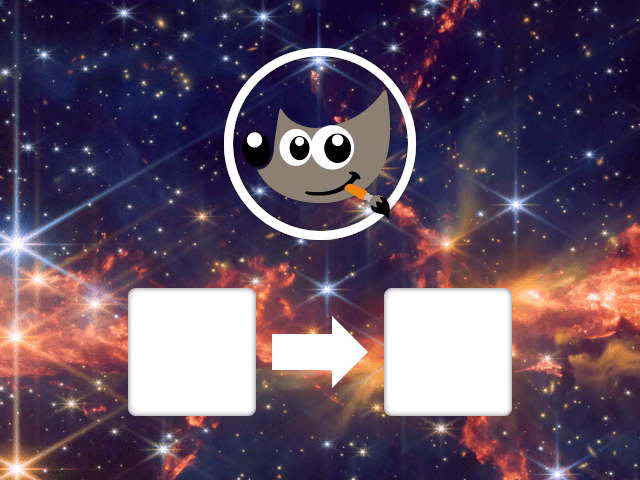
Similar scripts were made for the Windows installer which will also feature part of the splash image, automatically extracted at build time.
Also, some important fixes have been made by Bruno to our AppImage package.
It should work again on AArch64 (it stopped working after our move to Debian 13),
and support for third-party plugins (built for Debian 13) is hopefully fixed.
API
-
Thanks to work by Alx and Jehan, the
Curve-Bendplug-in can now be used in scripts via its individual parameters as listed in the Procedure Browser. Previously, you needed to use a genericsettings-datawhich combined several parameters in a single string. Both methods will work until GIMP 4, at which point we’ll retire thesettings-dataparameter. -
The GimpColorScales and GimpColorSelect widgets are now introspectable, which means you can use their public functions in your plug-ins and scripts.
-
We’ve added
gimp_config_get_xcf_version ()andgimp_config_set_xcf_version ()functions. These can be used when saving XCFs to target a specific version. Currently, we use this feature in GIMP to decide whether to save colors as the olderGimpRGBformat or the new colorspace-awareGeglColor. -
Ondřej Míchal has improved the logic for setting bounds for integer-type
GimpSpinScales. -
As we continue to expand the
GimpDrawableFilterAPI, we’ve marked a number ofgimp_drawable_* ()functions as deprecated. They will stay available until GIMP 4, but we recommend moving your filter code to use the GEGL filters directly instead of the older, dedicated wrapper functions. -
You can now create
GimpCurveobjects in plug-ins. This allows you to addgimp:curvesfilters to layers and layer groups. As a result, we’ve deprecatedgimp_drawable_curves_explicit ()andgimp_drawable_curves_spline ()since they can be replaced with the Curve filter directly. This work was done by Jehan and Alx Sa.
Here is an example of applying an inverted gimp:curves as non-destructive
filter, on the blue channel in non-linear space, through the Python binding:
c = Gimp.Curve.new()
c.set_curve_type(Gimp.CurveType.FREE)
x = 0
while x <= 1.0:
  c.set_sample(x, 1.0 - x)
  x += 1 / c.get_n_samples()

filter = Gimp.DrawableFilter.new(layer, "gimp:curves", "")
config = filter.get_config()
config.set_property("curve", c)
config.set_property("channel", Gimp.HistogramChannel.BLUE)
config.set_property("trc", Gimp.TRCType.NON_LINEAR)
layer.append_filter(filter)
Security
This release also contains fixes for possible exploits in some of our file loading plug-ins. We appreciate security reports from the Zero Day Initiative and individuals such as JungWoo Park and wooseokdotkim, and the work of developers like Jacob Boerema to patch them. The fixes include those for:
- ZDI-CAN-28232
- ZDI-CAN-28599
- ZDI-CAN-28265
- ZDI-CAN-28530
Around GIMP
Website
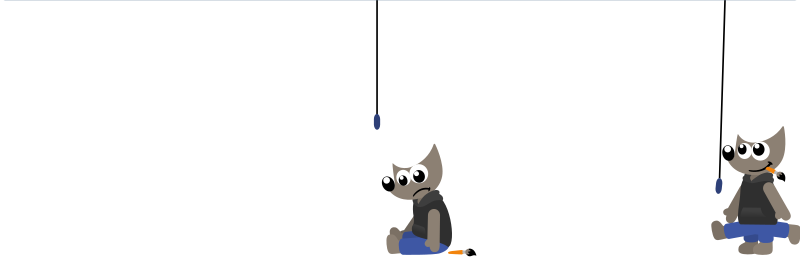
If you ever encountered a 404 Missing Page error on our website, you would have noticed our cute Wilber animation! This was work by the animation film director Aryeom, created as a hand-made SVG+SMIL animation by Aryeom and Jehan back in 2016.
As our logo design was updated in GIMP 3 (which by the way is also work by Aryeom, with feedback by the whole team), a refresh to this animated SVG, using the new Wilber, has been initiated by Bruno Lopes. Additional refinements were made by Aryeom Han and Jehan.
Since we hope you won’t normally see this page (and if you do, please report the broken link), here’s what it looks like (if you missed it, force-refreshing the page should work, or just go to any non-existing page to see the animation in proper context):
Translations
We have a new Cornish translation of GIMP, provided by Flynn!
Google Summer of code
We are once again participating in the Google Summer of Code. This is an opportunity for potential new contributors (of any age!) to work with us to develop a new feature for GIMP. We have a list of suitable projects, but you are welcome to propose your own idea. Please reach out early so we can get to know you beforehand!
Release Stats
Since GIMP 3.2.0 RC2, in the main GIMP repository:
- 70 reports were closed as FIXED.
- 60 merge requests were merged.
- 468 commits were pushed.
- 22 translations were updated: Basque, Bulgarian, Chinese (China), Chinese (Taiwan), Czech, Danish, Esperanto, Georgian, German, Greek, Icelandic, Italian, Japanese, Kabyle, Lithuanian, Norwegian Nynorsk, Persian, Slovenian, Swedish, Thai, Turkish, Ukrainian.
38 people contributed changes or fixes to GIMP 3.2.0 RC3 codebase (order is determined by number of commits; some people are in several groups):
- 7 developers to core code: Jehan, Alx Sa, Bruno Lopes, Anders Jonsson, Gabriele Barbero, Lukas Oberhuber, balooii balooii.
- 7 developers to plug-ins or modules: Alx Sa, Jacob Boerema, Bruno Lopes, Jehan, Michael Schumacher, Anders Jonsson, Waris.
- 25 translators: Sveinn í Felli, luming zh, Alexander Alexandrov Shopov, Marco Ciampa, Aefgh Threenine, Cheng-Chia Tseng, Alan Mortensen, Anders Jonsson, Danial Behzadi, Martin, Shigeto YOSHIDA, YOSHIDA Shigeto, dimspingos, Aurimas Aurimas Černius, Ekaterine Papava, Kristjan ESPERANTO, Kristjan SCHMIDT, Sabri Ünal, Yuri Chornoivan, Athmane MOKRAOUI, Flynn Peck, Ibai Oihanguren Sala, Jan Papež, Kolbjørn Stuestøl, Tim Sabsch.
- 2 theme designers: Alx Sa, Anders Jonsson.
- 5 build, packaging or CI contributors: Bruno Lopes, Jehan, Alx Sa, Jacob Boerema, Jeremy Bícha.
- 2 contributors on other types of resources: Jehan, Jeremy Bícha.
- The gimp-data submodule had 24 commits by 4 contributors: Jehan, Bruno Lopes, Alx Sa, Jeremy Bícha.
Contributions on other repositories in the GIMPverse (order is determined by number of commits):
- Our UX tracker had 4 reports closed as FIXED.
- ctx had 236 commits since 3.0.8 release by 1 contributors: Øyvind Kolås.
- The
gimp-macos-build(macOS packaging scripts) release had 22 commits by 2 contributors: Lukas Oberhuber, Bruno Lopes. - The flatpak release had 17 commits by 2 contributors: Bruno, rangelovd.
- Our main website (what you are reading right now) had 94 commits by 4 contributors: Bruno Lopes, Alx Sa, Jehan, Aryeom.
- Our developer website had 36 commits by 4 contributors: Bruno Lopes, Jehan, Alx Sa, Jacob Boerema.
- Our 3.0 documentation had 256 commits by 12 contributors: Jacob Boerema, dimspingos, Kolbjørn Stuestøl, Anders Jonsson, Marco Ciampa, Sabri Ünal, Yuri Chornoivan, Alx Sa, Aurimas Aurimas Černius, Dick Groskamp, Sage M, Tomo Dote.
Let’s not forget to thank all the people who help us triaging in Gitlab, report bugs and discuss possible improvements with us. Our community is deeply thankful as well to the internet warriors who manage our various discussion channels or social network accounts such as Ville Pätsi, Liam Quin, Michael Schumacher and Sevenix!
Note: considering the number of parts in GIMP and around, and how we
get statistics through git scripting, errors may slip inside these
stats. Feel free to tell us if we missed or mis-categorized some
contributors or contributions.
Downloading GIMP 3.2 RC3
You will find all our official builds on GIMP official website (gimp.org):
- Linux AppImages for x86 and ARM (64-bit)
- Linux Flatpaks for x86 and ARM (64-bit)
- Linux Snaps for x86 and ARM (64-bit)
- Universal Windows installer for x86 (32 and 64-bit) and for ARM (64-bit)
- Microsoft Store for x86 and ARM (64-bit)
- macOS DMG packages for Intel/x86 and Apple/ARM hardware (64-bit)
Other packages made by third-parties are obviously expected to follow (Linux or *BSD distributions’ packages, etc).
There is no development release for the manual, but you can continue to use the existing GIMP 3.0 documentation.
Notes: packages on the Microsoft Store and Snap Store may be delayed as we wait for validations.
What’s next
We nearly thought that the RC2 would be the last release candidate, but it turned out we found more things we were not really happy with, for a stable version. And the more we fixed, the more it became clear that a RC3 was needed.
We are now in a state where we feel happy again. Of course, there are some things we would like to spend more time on, but we have to stop somewhere. Hopefully you will think the same! So as usual, we are calling for everyone to massively test this version 3.2.0 RC3. Please everyone, test and report any issue you find!
Depending on the testing feedback, we may get GIMP 3.2.0 out very soon!
Don’t forget you can donate and personally fund GIMP developers, as a way to give back and accelerate the development of GIMP. Community commitment helps the project to grow stronger!